
4 × 3
Client review
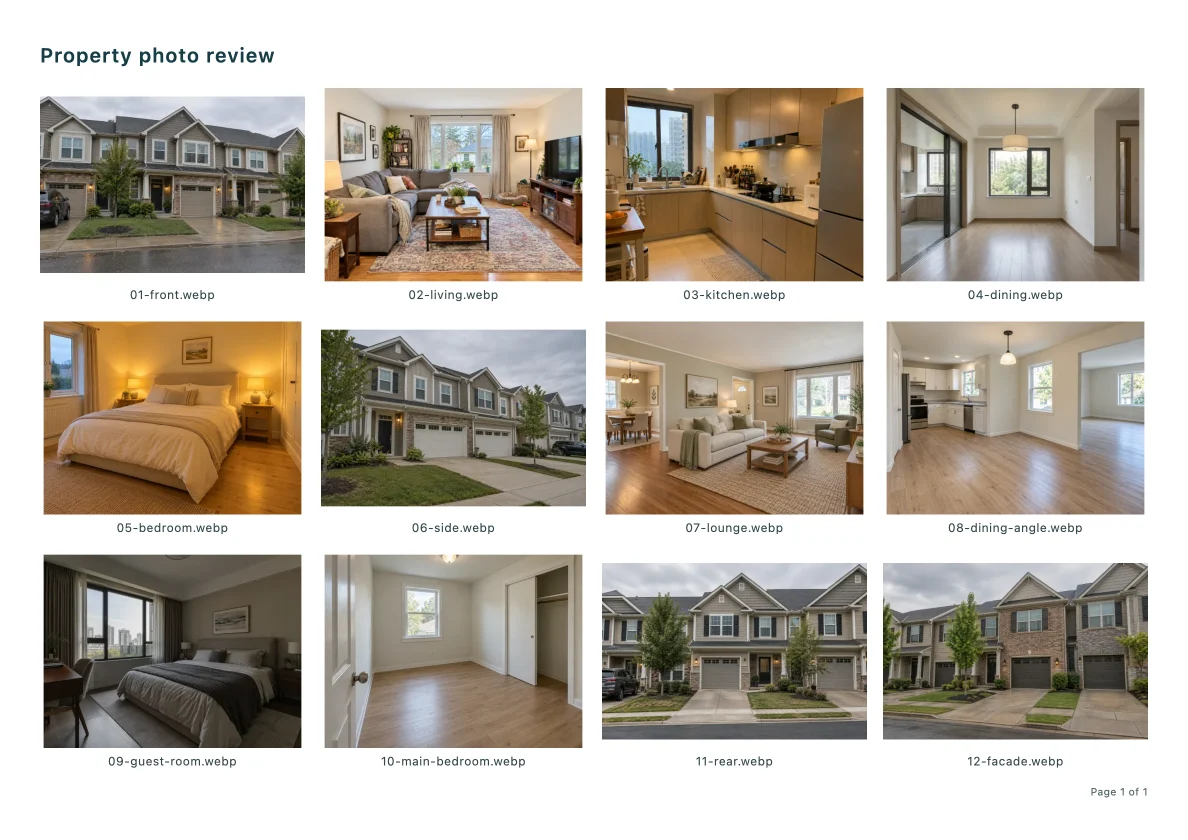
Twelve frames per page for comparing angles or sharing a shortlist.
Photography tool
Make a photo contact sheet online. Arrange your photos in a grid, keep every filename visible, and download a printable PDF for free.
JPG, PNG or WebP · Up to 60 photos · 20 MB per photo
The workflow
Select JPG, PNG or WebP files, or drop them into the workspace. Try the sample set to see a finished layout.
Choose a grid and paper size, reorder the photos, and check the filenames in the live preview.
Save every page in one PDF for review or printing. Use PNG when you need an image of the current page.
Contact sheet basics
A contact sheet is a single page of small photos laid out in a grid, each labelled with its filename or frame number. The name comes from film photography, when negatives were pressed directly against photo paper to print a proof of the whole roll.
Photographers still use contact sheets, also called proof sheets, to review a shoot at a glance, pick favourites and give clients an easy way to name the exact frame they mean.
Grid presets
Twelve frames per page for comparing angles or sharing a shortlist.
Six larger frames give wide interiors and exterior details room to breathe.
Thirty thumbnails per page help you scan a large shoot or build a visual archive.
Use cases
Send one PDF so clients can mark favourites and reply with filenames instead of describing photos.
Check that every room is covered, put the shots in walking order and agree on the listing set with the agent.
Share a proof sheet before retouching, so only the chosen frames get edited.
Print an index sheet for each shoot so you can find the originals later without opening every file.
No desktop software
Lightroom Classic's Print module and Photoshop's Contact Sheet II can both build contact sheets, but they need the desktop app, an Adobe subscription and some setup.
This online contact sheet maker runs in a modern browser. Choose your photos, pick a template and download the PDF in a few minutes, with nothing to install, no account and no watermark.
The templates hold 6, 12 or 30 photos per page, and a custom grid lets you set your own columns and rows. Larger sets continue onto extra pages, all saved in one PDF.
Yes. Download all pages in one PDF without signing in, buying credits or adding a watermark.
Your photos are opened and processed in your browser. Save the finished file before leaving the page, since the workspace does not keep your photos between visits.
Choose A4 or US Letter and the orientation you want. Open the downloaded PDF and select the matching paper size in your print dialog.
Yes. Full photo fits the entire image into its cell. Fill and crop uses the whole cell and may trim the edges.
The editor accepts JPG, PNG and WebP. If your camera or phone uses RAW or HEIC, export those photos as JPG first.